01 / Source-backed explainer
Big ideas. Clearly explained.
A research draft becomes three narrated chapters, with the sources one click away.
Open the interactive exampleTHE AI SLIDESHOW STUDIO
The clarity of slides. The energy of video.
Bring your ideas to life with narration, expressive motion and a story worth following.
An outline first. A private preview next. Your call to share.
Send your idea and material to getpaidx.com@re365.net. Confirm your address, review the outline, then ask for changes or a private preview by replying.
Start an email draftAttach files in your email app; files selected here are not transferred. The same workspace credits and private review apply. Nothing is published automatically.
Real presentations. Different styles. One creative workspace.
Made to be watched.
Built to go further.
LESS IMAGINING. MORE PLAYING.
A thoughtful seminar. A visual explainer. A burst of motion.
See what a slideshow can become.
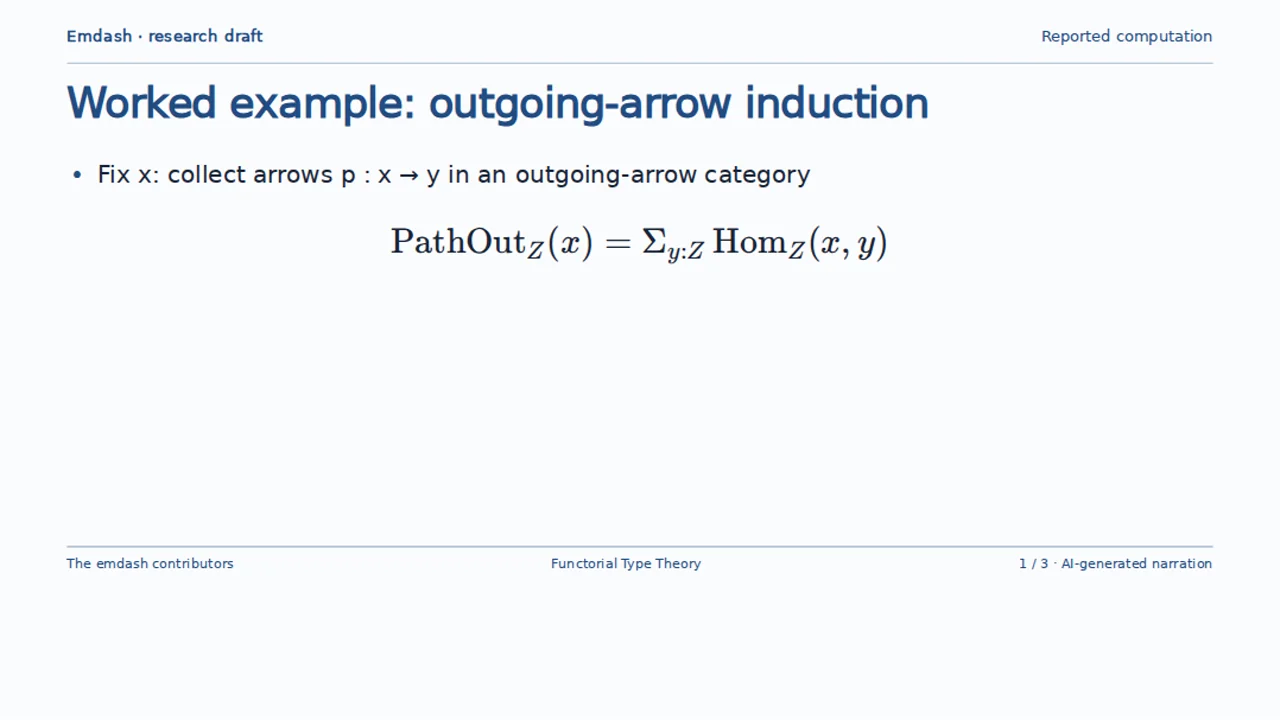
A research draft becomes three narrated chapters, with the sources one click away.
Open the interactive examplePlayful animation, kinetic type and word-by-word captions turn a lesson into a story.
A closer look at an extended talk on functorial type theory, made from the source book.
Explore the source bookDependent hom ladders and homology, explained across a full 19-minute research seminar.
Play the full interactive seminarWatch without an account. Come back with an idea.
FROM “I SHOULD EXPLAIN THIS” TO “PRESS PLAY”
You bring the substance. Your AI workspace helps shape the story.
Add your material, name your audience and choose a direction. Bring a short introduction if it helps.
01A reason to care
02The idea, made concrete
03A useful next step
Review the outline before the production. Ask for a sharper opening, a better example or a different pace.
Watch your private replay, refine the details and decide how to share. The editable project stays with you.
A CLEAR IDEA DESERVES A LITTLE PRESENCE
Keep the structure of a good presentation. Add visual rhythm, revealing diagrams and captions that draw the eye to the words that matter.
PUT A LITTLE OF YOU IN THE PICTURE
Start with a short clip of you, a quick demonstration or a moment that makes the idea feel real. Then let the presentation carry the explanation.
FOR THE WORK THAT DESERVES AN AUDIENCE
Research & teaching
Give a paper, a chapter or a big concept the explanation it deserves. Keep the sources close.
Products & services
Lead with the problem, show the useful part and give people a reason to take the next step.
Experts & creators
Turn the thing you explain every week into a polished story people can watch in their own time.
ONE SHOW. MORE PLACES TO GO.
Give people a link to watch in their own time. Present together in a live session. Or take a portable presentation to your own website.
The explanation can be the start of a conversation, a lesson, a consultation or an offer. GetPaidX gives it somewhere to go next.
Explore the wider appA SLIDESHOW STUDIO. A WHOLE WORKSPACE BEHIND IT.
Keep your files, ask for edits, connect your tools and turn a finished presentation into a professional next step.
A LITTLE MORE FLEXIBILITY. A LOT LESS COMMITMENT.
Use the GetPaidX account and credits you already have.
No separate slideshow subscription to figure out.
THE CREATIVE START
$0 required monthly plan
Create with a free account. Add usage credits for the work you want to make.
PAY FOR THE WORK
From $5 one-time top-up
One wallet for AI editing, narration and workspace use across GetPaidX.
OPTIONAL GETPAIDX PRO
$2.97 / month
Go beyond creating with the wider app’s professional publishing and monetization tools.
AI editing, voice and workspace use are metered. Cost depends on the work; credits are not a promise of a fixed number of presentations. Review current terms and prices before checkout.
Choose a starting point, describe your idea in one brief and optionally attach material. Include notes, links, your audience or style in the same prompt. Your editor proposes an outline for you to review before creating a private presentation.
You get a replayable web presentation: structured slides, narration, captions and motion in one experience. Viewers can pause, choose a chapter and inspect supporting material. It plays without downloading a whole movie, and the editable project stays in your workspace.
Yes. Attach a short clip and describe what you want in your brief: a presenter, illustrative footage, retained speech or narration over muted pictures. Your editor proposes its placement and sound. Files can be up to 20 MiB; the clip tools support sources up to 60 seconds and selected excerpts up to 45 seconds in total.
Generate narration for the parts that need it, keep your recorded voice for the parts that already have it, and style captions as part of the presentation. Spoken captions follow the delivered audio. Automatic transcription of uploaded clips currently supports English; reviewed timing for other languages can be brought into the workspace.
No monthly subscription is required for slideshow creation. AI editing, narration and workspace use are metered through GetPaidX credits. Optional Pro adds broader creator and monetization capabilities; it does not replace usage credits or include unlimited generation.
Absolutely. Review the outline, ask the editor for changes, generate a private preview, then refine the story, sources, visuals or pacing in Agent chat or the full workspace. You choose when to publish or share.
Share through a GetPaidX post, present in a live session, or take the portable audience package to a static website such as GitHub Pages. Public or restricted access follows your chosen delivery channel. Keep your working files and original sources separate from the audience package.
The workspace supports rendered movie exports when you need them. The default slideshow stays a lightweight web presentation. You can also work through the existing GetPaidX chat, API and connected AI tools; the same account, access rules and usage credits apply.
YOU ALREADY HAVE SOMETHING WORTH EXPLAINING.
A paper. A product. An idea that won’t leave you alone.
Your next presentation starts there.
Your source. Your story. Your choice to share.